Why an audit log
The chatter in Odoo only tracks the few fields a developer marked for tracking, and it says nothing about records that were deleted. When a price, an address or a bank reference changes and nobody remembers why, you need a reliable answer. This app records every change on the models you choose, field by field, and keeps it in your own database.
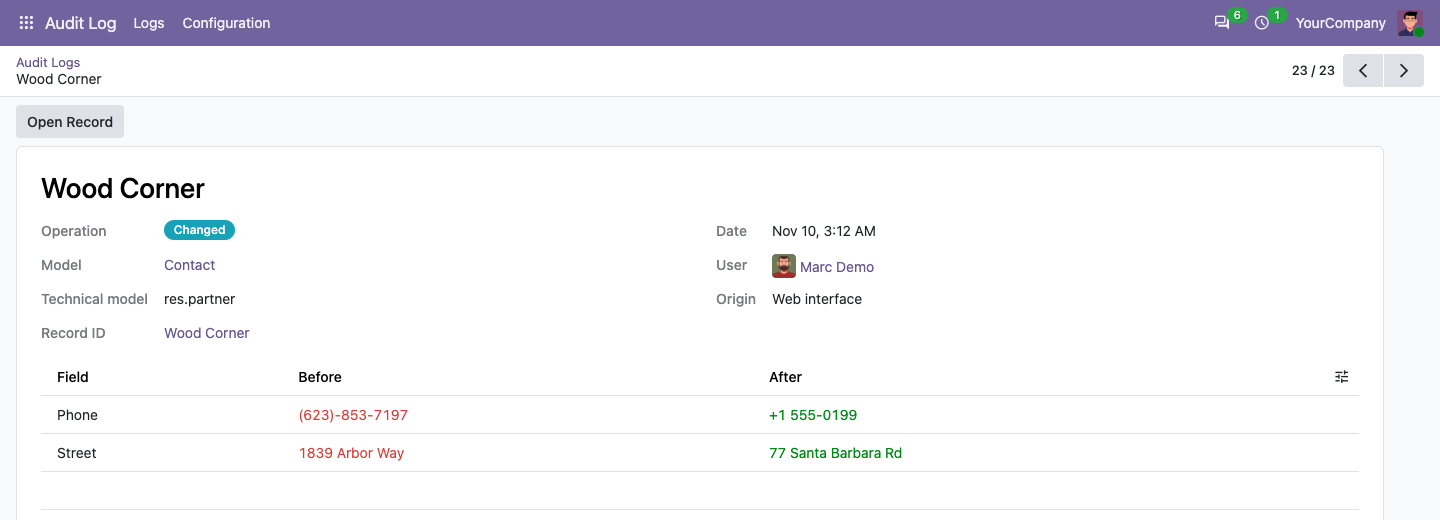
What it records
- Every change, before and after. Each creation, change and deletion is one log entry, with one line per field showing the old and the new value. Writes that change nothing are not logged.
- Any model you choose. Contacts, products, sales orders, invoices, employees or your own custom models. Audit all stored fields, or only a few that matter.
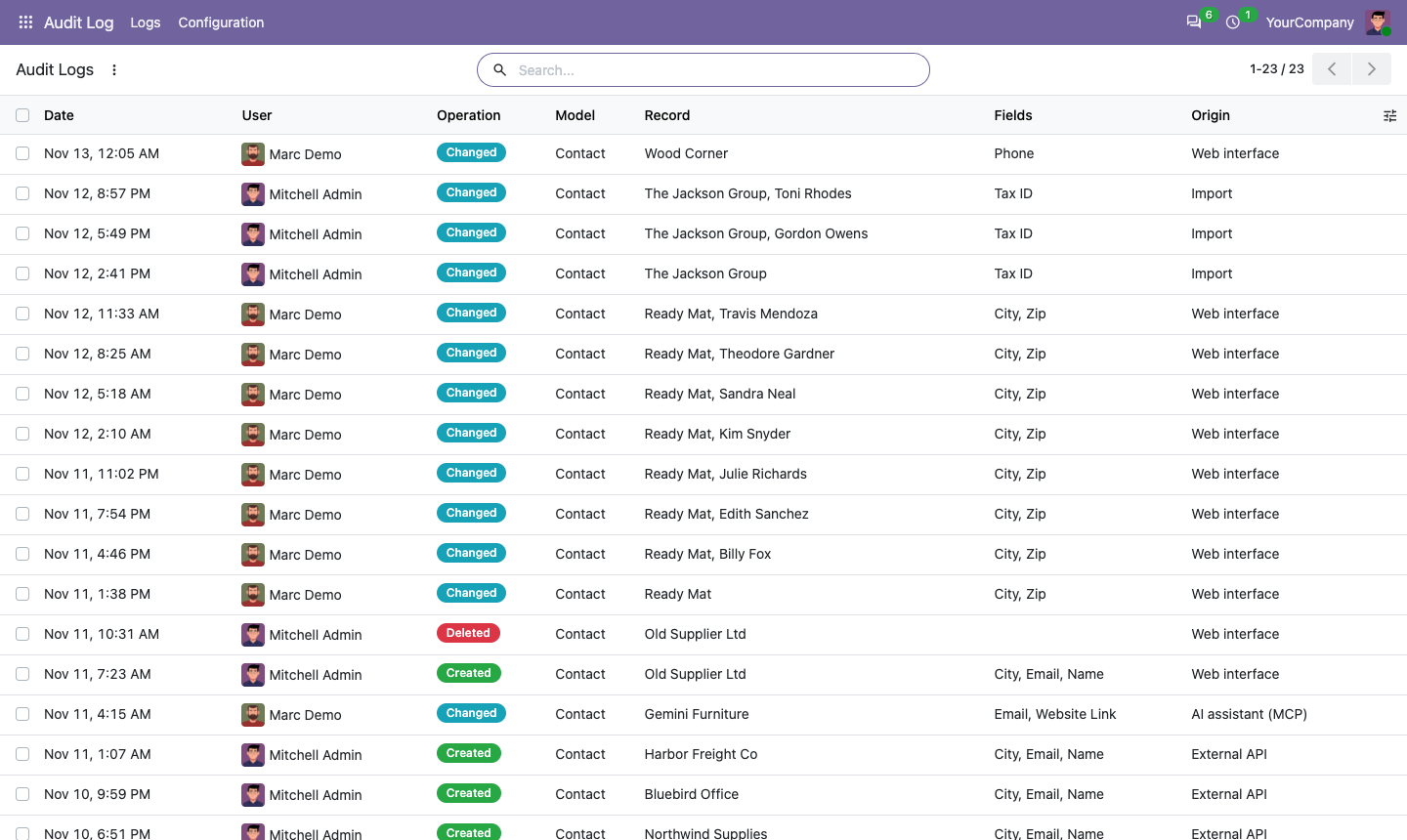
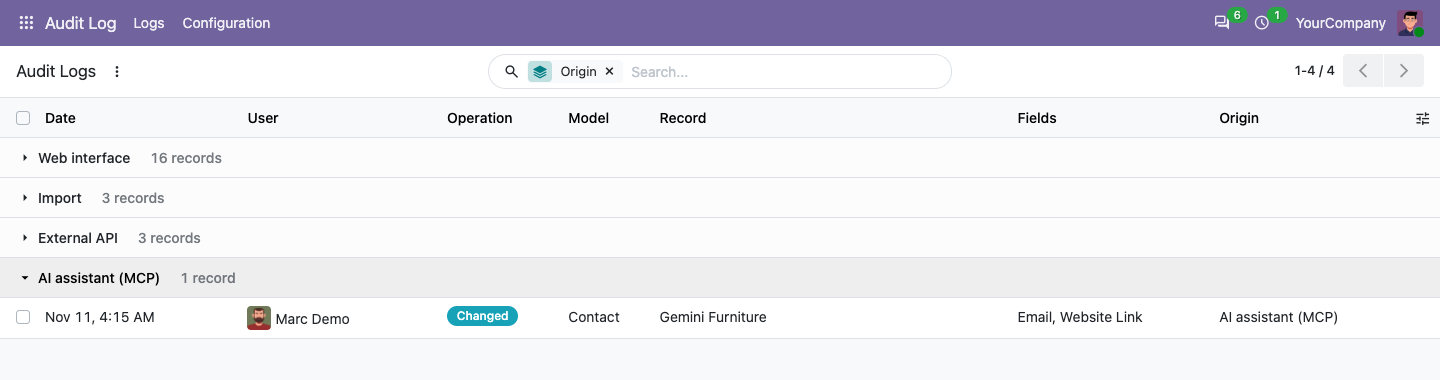
- Where the change came from. Every entry tells whether it was made in the web interface, by an import, through the external API, by a scheduled job, or by an AI assistant connected through MCP.
- Deleted records are not lost. When a record is deleted, the values of its fields are kept in the log, so you can see exactly what was removed and by whom.
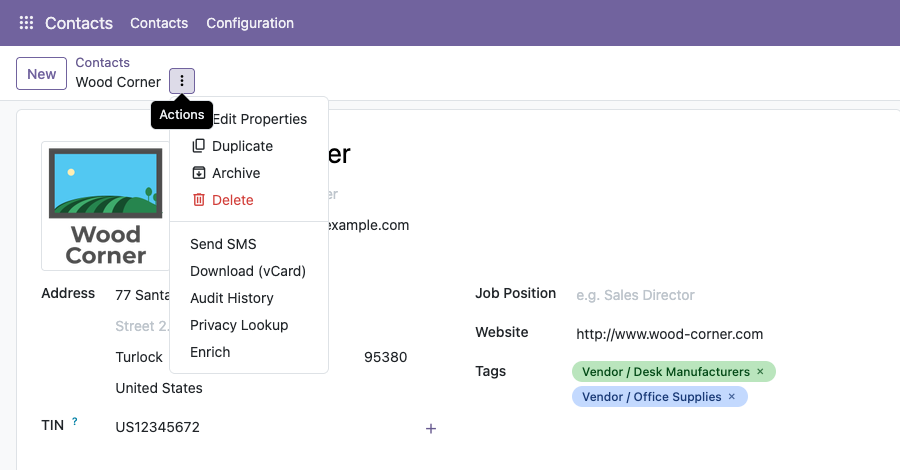
- History from the record itself. An “Audit History” entry is added to the Action menu of every audited model. Select one or many records and open their history.
- Read-only logs and retention. Two roles: Viewer reads logs, Administrator chooses what is audited. Logs cannot be edited through the app's interface or access rights. A daily job removes logs older than the retention you set per model.
Set up an audit rule
- Install the app from the Odoo Apps store. Administrators get the Audit Log Administrator role.
- Open Audit Log, then Configuration, then Rules, and click New.
- Choose a model, for example Contact or Sales Order. Optionally pick a few fields.
- Save. From now on every change is recorded under Audit Log, then Logs.
- Give other users the Viewer role (Settings, Users) when they need to read the logs.
Audit logs in Odoo Community
Calderkit Audit Log and Trail works with Odoo Community and Enterprise on Odoo.sh or self-hosted installations. It records create, update and delete operations on the models you enable, with old and new field values and the origin of each operation. It does not log reads. The price is $79 per Odoo version.
Compatibility
- Odoo 18, 19 and 20, Community and Enterprise, on Odoo.sh or your own server. Each Odoo version is sold separately on the store.
- Not on Odoo Online: Odoo does not allow third-party apps with Python code there.
- No outside service. Everything stays in your Odoo database, and the app makes no outside connection.
Questions
Does it slow Odoo down?
Models without a rule are not affected beyond a cached lookup. On audited models, only the fields being written are read before and after the change.
Are reads logged?
No. The app records creations, changes and deletions.
What about order lines and other sub-records?
Add a rule for the line model too, for example Sales Order Line. Its changes are then logged with the line's name.
Can a log be changed or deleted?
Not through the app: no user role can edit a log, and logs are removed only by the daily retention job, according to the number of days you set (0 keeps them forever). It is not a tamper-proof external archive, and it does not stop a database administrator from changing the underlying database.
Does it work with AI assistants?
Yes. Changes made through our MCP Server for Odoo are marked with the origin “AI assistant (MCP)”, so you can review them separately.
Support
Buyers can use the support button on their Odoo Apps order page, or write to odoo@calderkit.com. We answer in writing within two business days, and fix any bug that keeps the app from working as described here.