Why
Reordering rules are only as good as their minimum and maximum. Set them once and they drift: demand grows, seasons come back, a product runs out for three weeks and the history now says nobody wanted it. This app reads the done stock moves of each rule's warehouse and suggests new values, with the reasoning shown, so you can check and apply them instead of guessing.
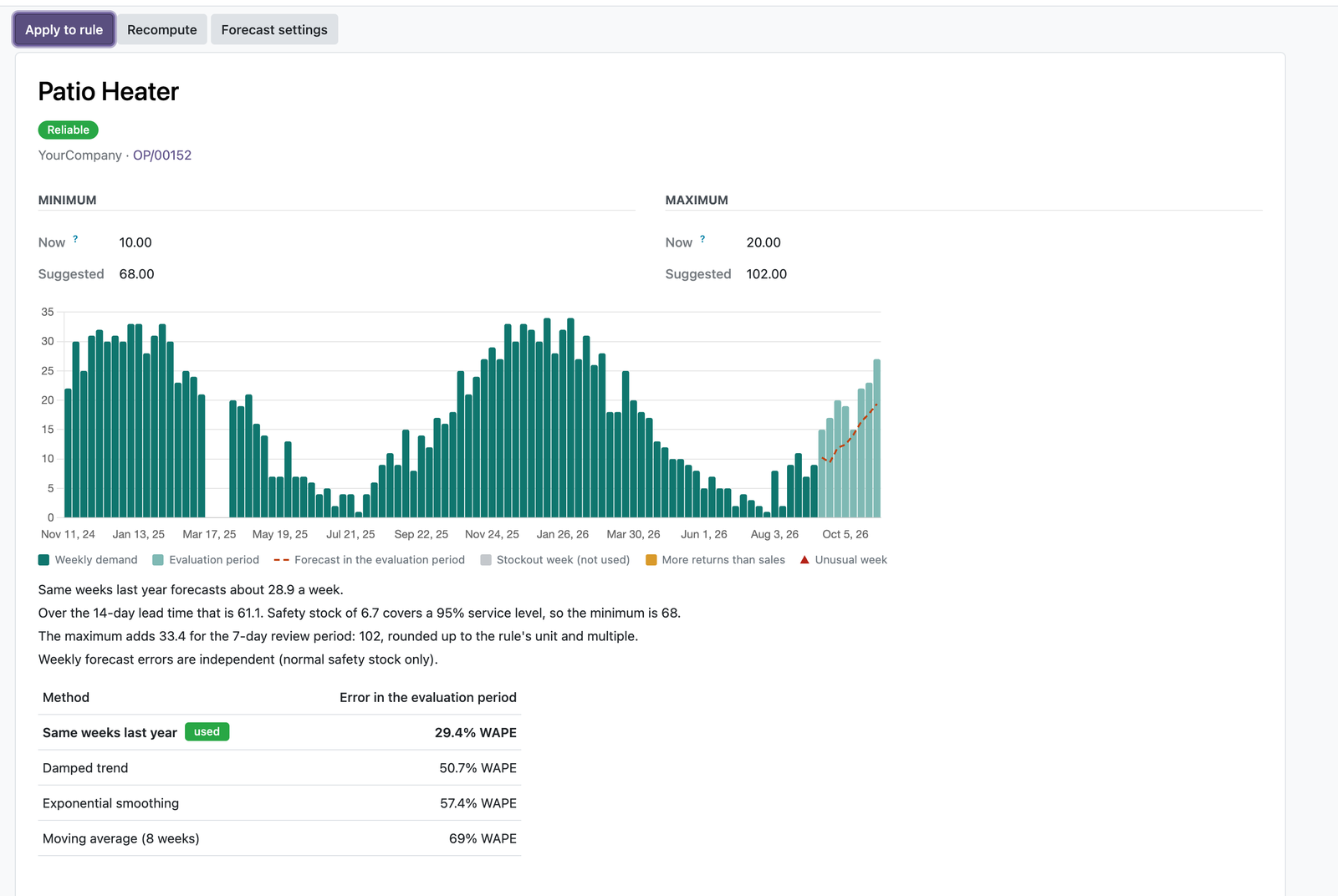
How the suggestion is made
- Weekly demand from your own moves. Deliveries leaving the warehouse, minus customer returns; internal transfers are ignored; manufacturing consumption counts if you choose.
- Stockouts are left out. Weeks when the shelf was empty are not treated as zero demand.
- Several methods, tested on your data. Moving average, exponential smoothing, damped trend and same weeks last year are scored on the most recent weeks; the most accurate one is used, the simpler one when they are close. Products that sell now and then use an intermittent-demand method.
- Minimum and maximum. The minimum covers the forecast demand during the lead time Odoo computes for the rule, plus safety stock for the service level you set. The maximum adds your review period. Units are whole numbers and packaging multiples are respected.
Apply and undo
Select suggestions and apply them to their rules. Rules that were changed since the suggestion was computed, or whose settings no longer match, are skipped with the reason. Every applied batch is kept and can be undone. Nothing is ordered: Odoo's own scheduler remains in charge, and automatic rules are only changed when you tick the option for them.
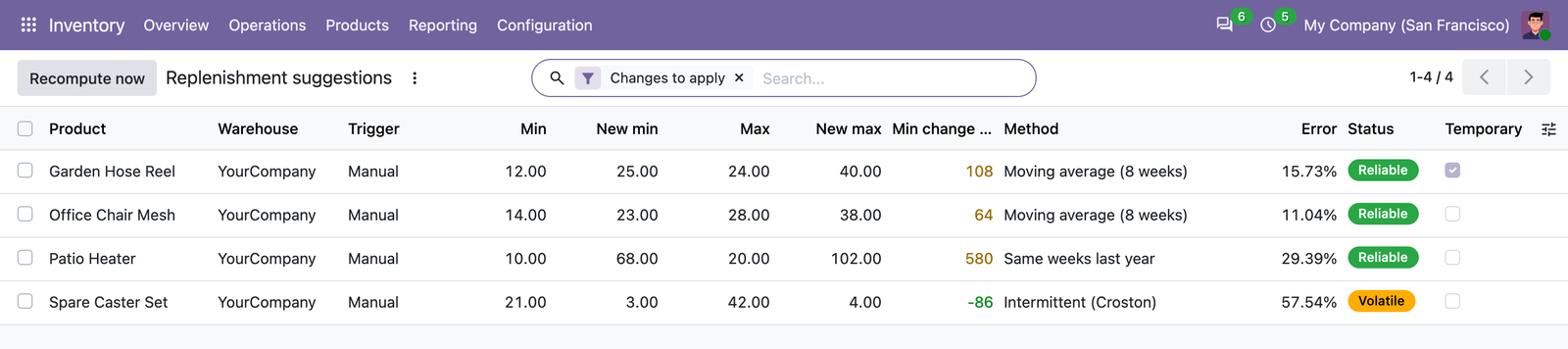
Good to know
- With fewer than 12 weeks of history a suggestion is marked short history and is not applied by default.
- A rule whose lead time Odoo reports as 0 days is flagged, so you can fix vendor lead times or routes first.
- Odoo's Replenishment report creates temporary manual rules and deletes them once a product is replenished. The app warns you before you apply values to such a rule.
- Suggestions are recomputed every week in the background, per company; users only see suggestions for rules they can read.
Compatibility
- Odoo 18, 19 and 20, Community and Enterprise, on Odoo.sh or your own server. Needs only the Inventory app. Each Odoo version is sold separately on the store.
- Not on Odoo Online: Odoo does not allow third-party apps with Python code there.
- Everything runs in your Odoo. Calderkit does not receive your data.
Support
Use the support button on your Odoo Apps order page, or write to odoo@calderkit.com. We answer in writing within two business days.