One layout, two outputs
Odoo's own label options are fixed formats. This app lets you design the label you need, with the fields you need, and print it either as a PDF for any printer or as ZPL, the language of Zebra and compatible label printers. Both outputs come from the same layout, so what you see in the preview is what comes out of the printer.
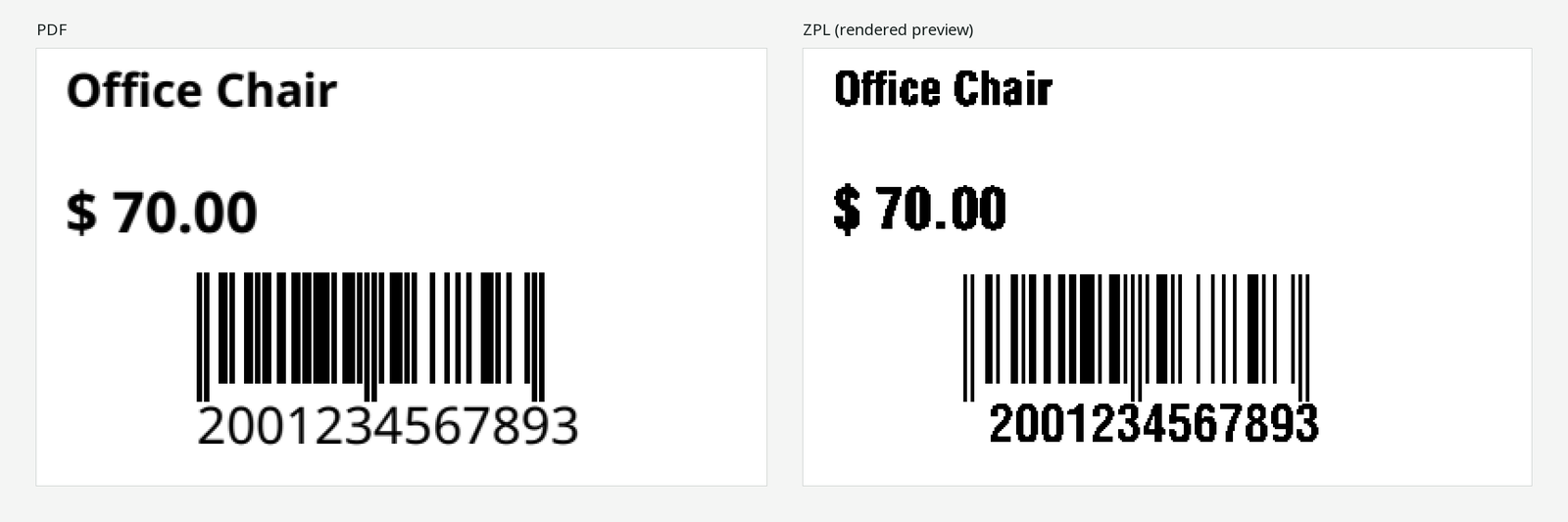
What you can put on a label
- Any field you can read. Fields of the product, the lot or serial number, the transfer and the company, following up to three relations, plus the price with your pricelist and currency and today's date. Each user only prints what their access rights allow.
- Barcodes that scan. Code 128, Code 39, EAN-13, EAN-8, UPC-A, QR and Data Matrix. Module widths follow the printer's dots; quiet zones and guard bars are reserved. Data Matrix uses our own encoder, checked by decoding every square size.
- Text, boxes, lines and inverse blocks. Rotation in steps of 90 degrees, bold, alignment and several lines per field.
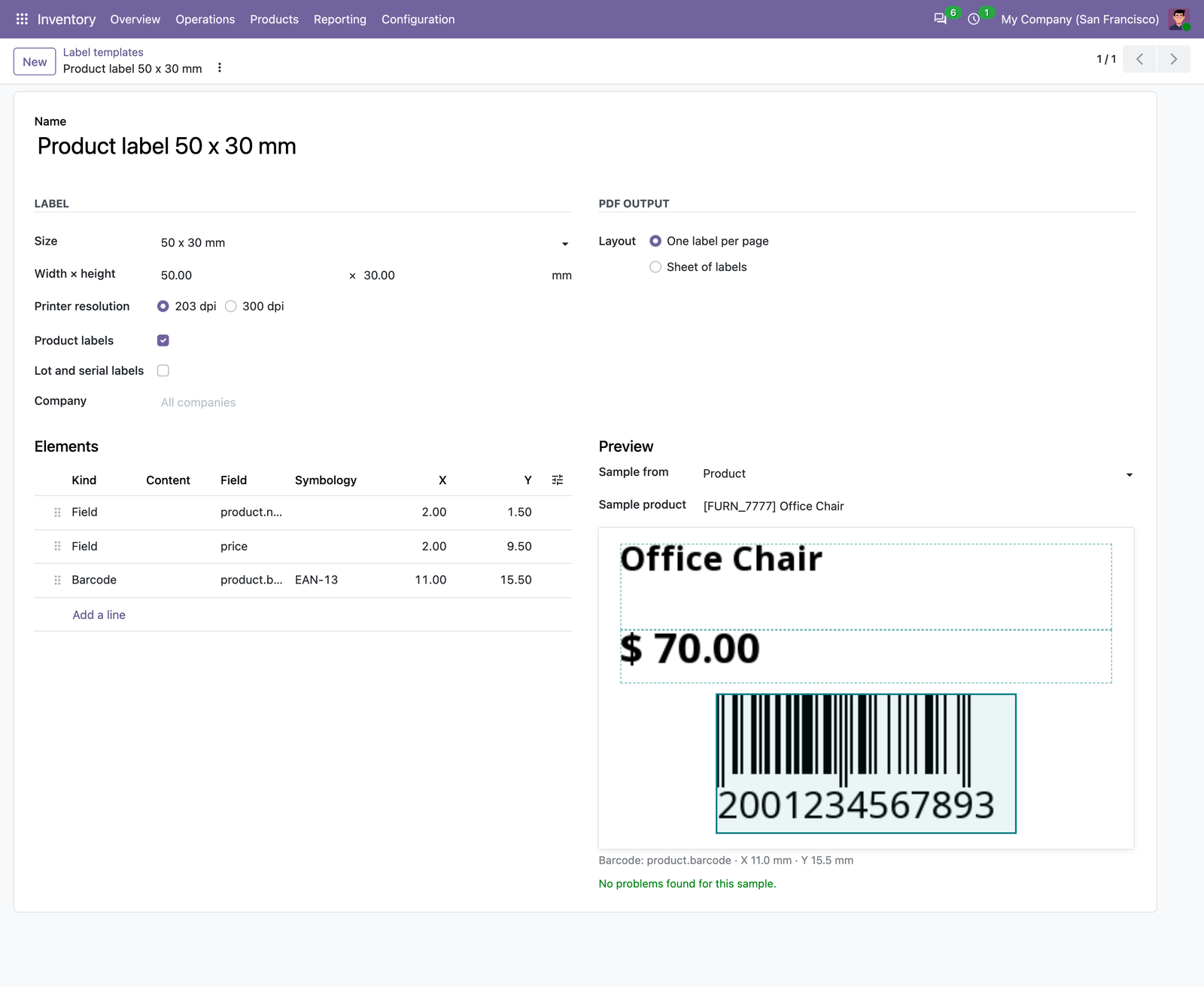
Checked before printing
Elements outside the label, clipped quiet zones, invalid barcode values, text that does not fit and characters a Zebra printer cannot print are listed before anything is printed. You can fix the template or skip the labels that fail.
Print from where you work
- From products, variants, transfers and lots, and from Odoo's own label dialogs with Use a custom template.
- One label per record, per moved quantity, per lot or per unit and serial number.
- One label per page for roll printers, or A4 and Letter sheets with rows, columns, margins and a start position.
- Five ready templates: product label, 2 × 1 inch barcode label, shelf price label, lot label with Data Matrix and an A4 sheet of 24.
- Printed files are private: only the user who printed them can download them.
Limits
- Text in Latin, Greek and Cyrillic scripts (Noto Sans is included). Chinese, Japanese, Korean, Arabic and Thai are not supported yet.
- QR and Data Matrix content in ASCII. Images and logos are not supported yet.
- No direct printing: download the PDF or ZPL file and send it to the printer the way you already do.
Compatibility
- Odoo 18, 19 and 20, Community and Enterprise, on Odoo.sh or your own server. Needs only the Inventory app. Each Odoo version is sold separately on the store.
- Not on Odoo Online: Odoo does not allow third-party apps with Python code there.
- ZPL II at 203 and 300 dpi. Everything runs in your Odoo; there is no print agent and no outside service.
Support
Use the support button on your Odoo Apps order page, or write to odoo@calderkit.com. We answer in writing within two business days.